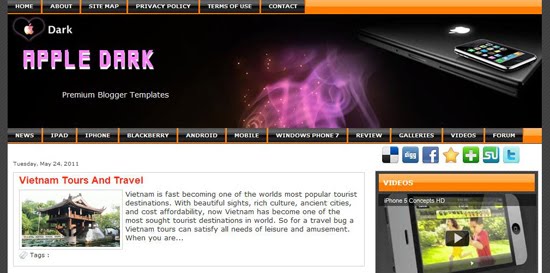
Template name : Celebrities Color
Template type : 1 Sidebar, 2 Column, Artworks, Fixed width, Green, Header Banner, Magazine, Pink, Right Sidebar, Top Navigation Bar, White, Wordpress View, Video Box.
Release date : Mar 22, 2011
Coder/Designer Name(s) : Jacky
Basic Instructions : How to install a Blogger template
Template type : 1 Sidebar, 2 Column, Artworks, Fixed width, Green, Header Banner, Magazine, Pink, Right Sidebar, Top Navigation Bar, White, Wordpress View, Video Box.
Release date : Mar 22, 2011
Coder/Designer Name(s) : Jacky
Basic Instructions : How to install a Blogger template
Configure Meta tags :
Login to your blogger dashboard >> layout >> Edit HTML.Now Scroll down to where you see below codes:
Replace DESCRIPTION HERE,KEYWORDS HERE as below.
DESCRIPTION HERE:Write your blog description
KEYWORDS HERE:Write the keywords of your blog separated by comma.
How To Configure Shortcuticon:
Login to your blogger dashboard--> layout- -> Edit HTML.Now Scroll down to where you see below code :
Login to your blogger dashboard >> layout >> Edit HTML.Now Scroll down to where you see below codes:
<meta content='DESCRIPTION HERE' name='description'/>
<meta content='KEYWORDS HERE' name='keywords'/>
Replace DESCRIPTION HERE,KEYWORDS HERE as below.
DESCRIPTION HERE:Write your blog description
KEYWORDS HERE:Write the keywords of your blog separated by comma.
How To Configure Shortcuticon:
Login to your blogger dashboard--> layout- -> Edit HTML.Now Scroll down to where you see below code :
<link href='YOUR-SHORTCUTICON-URL' rel='shortcut icon'/>
Now replace "YOUR-SHORTCUTICON-URL" with your Favicon address/url.